
Apple Mobile Me - Remote SMTP - Setup Guide
Important Points
Important: Before proceeding please login to the AuthSMTP Control Panel and enable SSL on your account.
Due to the way Apple's Mobile Me email systems currently work you have to have SSL enabled on your account for you to be able to send emails through AuthSMTP, otherwise any emails you send may not reach us and you may not get an error message.
- First you need to make sure the email address(es) you will be sending from have been authorised for your account in our Control Panel .
- These instructions assume your email account has already been setup in Me.com and is collecting email correctly
- Take a note of any settings you change
- Only change the items specified - you should not need to change either your email address, POP3 server, POP3 username / password
- These instructions are only for setting up an alternative email address and SMTP server in Apple's Mobile Me service - for other email programs please see How To Setup AuthSMTP or contact us
Step One
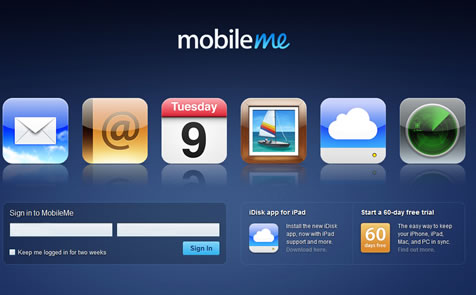
- Login to your Mobile Me account here - www.me.com
Step Two
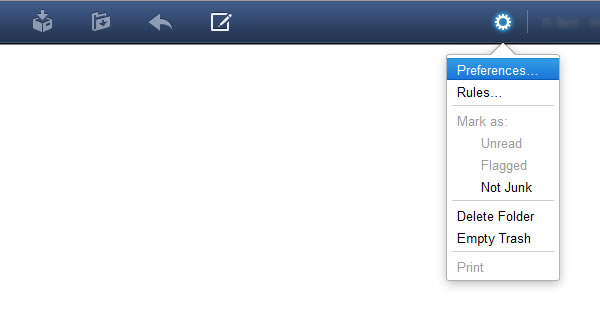
- From the main window go into the 'Preferences' by clicking on the 'cog'icon in the top right-hand corner
Step Three
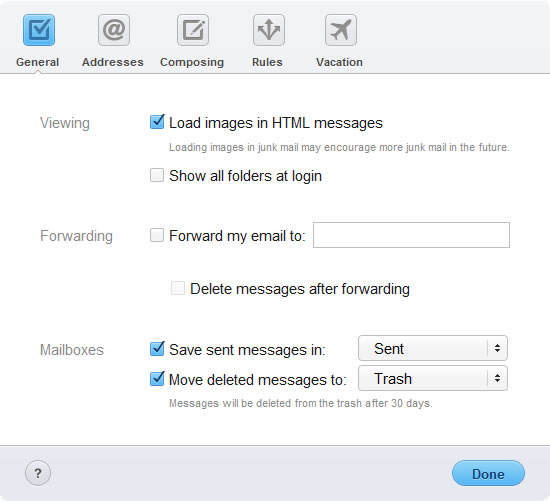
- You will see 5 sections at the top of the new window...
Step Four
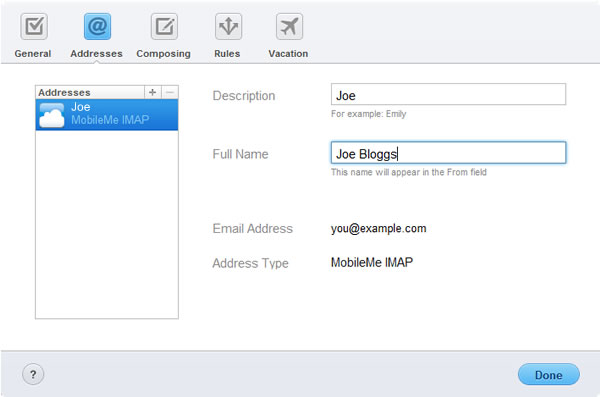
- Go to the 'Addresses' section and click on the small '+' button above the list of accounts
Step Five
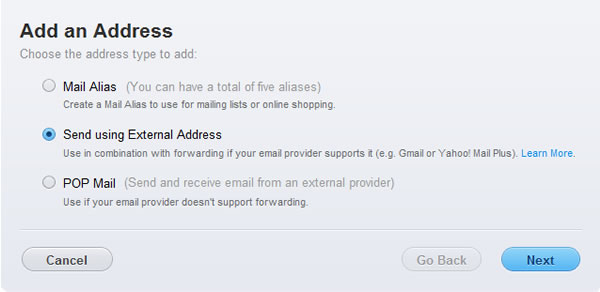
- Choose 'Send using External Address' and then click the 'Next' button
Step Six
- Enter the email address you wish to send from and your name
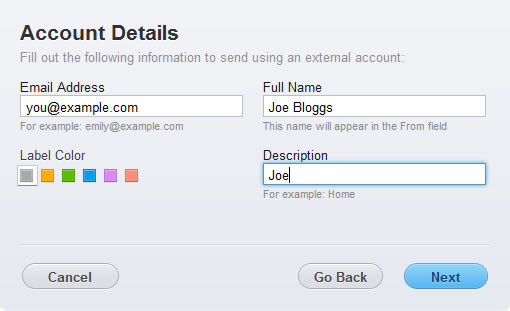
- Ensure you have registered the email address on your AuthSMTP account via the Control Panel
- Click 'Next'
Step Seven
- Enter the 'SMTP Server' as 'mail.authsmtp.com'
- Change the 'Port' to '25'
- Enter your AuthSMTP username and password into the fields provided
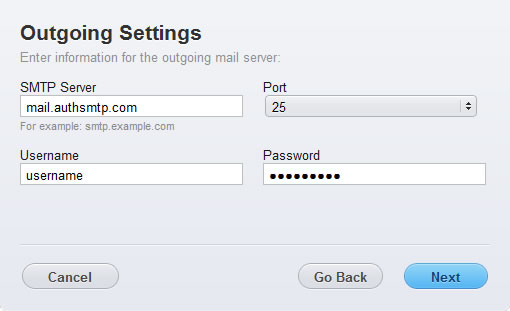
- Click 'Next'
Step Eight
- The SMTP account and email address have now been added to Mobile Me account
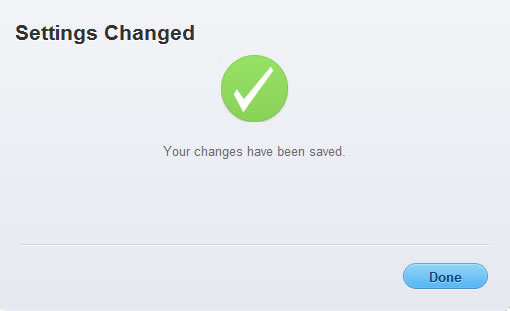
- Click 'Done'
Step Nine
- You will see the 'Send From' account listed with your other accounts.
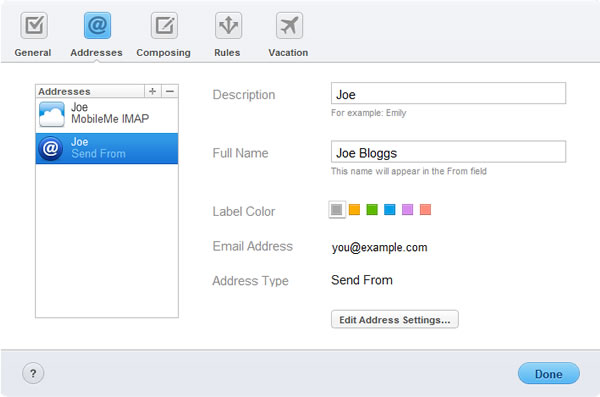
- Click 'Done'
Step Ten
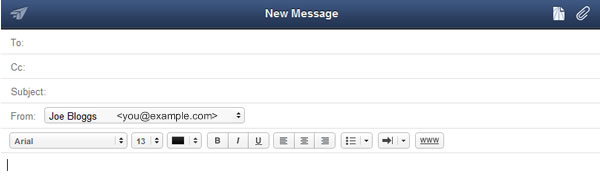
- To test the setup compose a new message
- Change the 'From' address to the new one that you have setup
- Click the paper plane button to send the message
Step Eleven
- All done!
Troubleshooting
- Check you have entered the AuthSMTP username and correctly
- Check you have registered the from address on your AuthSMTP account
- Check the Control Panel to see if any errors are being logged against your account